VS Code
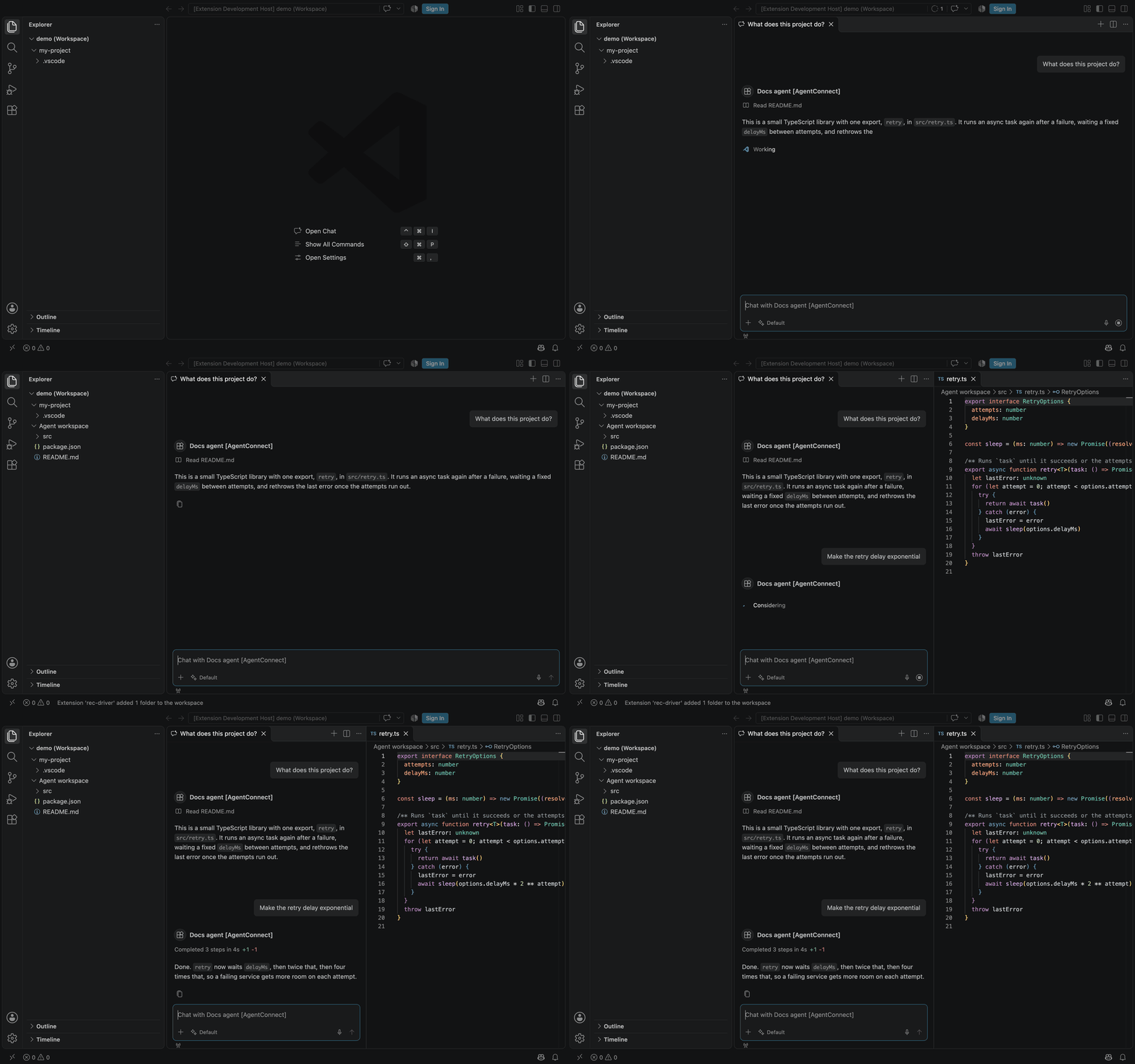
Chat with an agent from VS Code, read the files in its workspace, and review its edits as whole-file diffs.
An agent is an Agent Host Protocol (AHP) host, so VS Code can open it as a remote agent host. You chat with the agent in VS Code's chat, review each edit as a diff, and read files from its workspace. The agent keeps running where it runs today; VS Code is another window onto it. To put an agent behind your own chat UI instead, see Choose a protocol.
This is a preview. VS Code has no sign-in for AgentConnect of its own, so you install the AgentConnect extension by hand: it is not on the Marketplace, because it uses a VS Code API that is still proposed.
It takes four steps:
- Add the AHP API to the agent.
- Install the AgentConnect extension.
- Add the agent's endpoint to VS Code.
- Sign in.
Add the API to the agent
An agent accepts AHP clients only after its owner adds the API to it. Before you start, check that the agent's daemon runs v2.14.0 or later; upgrade it if not.
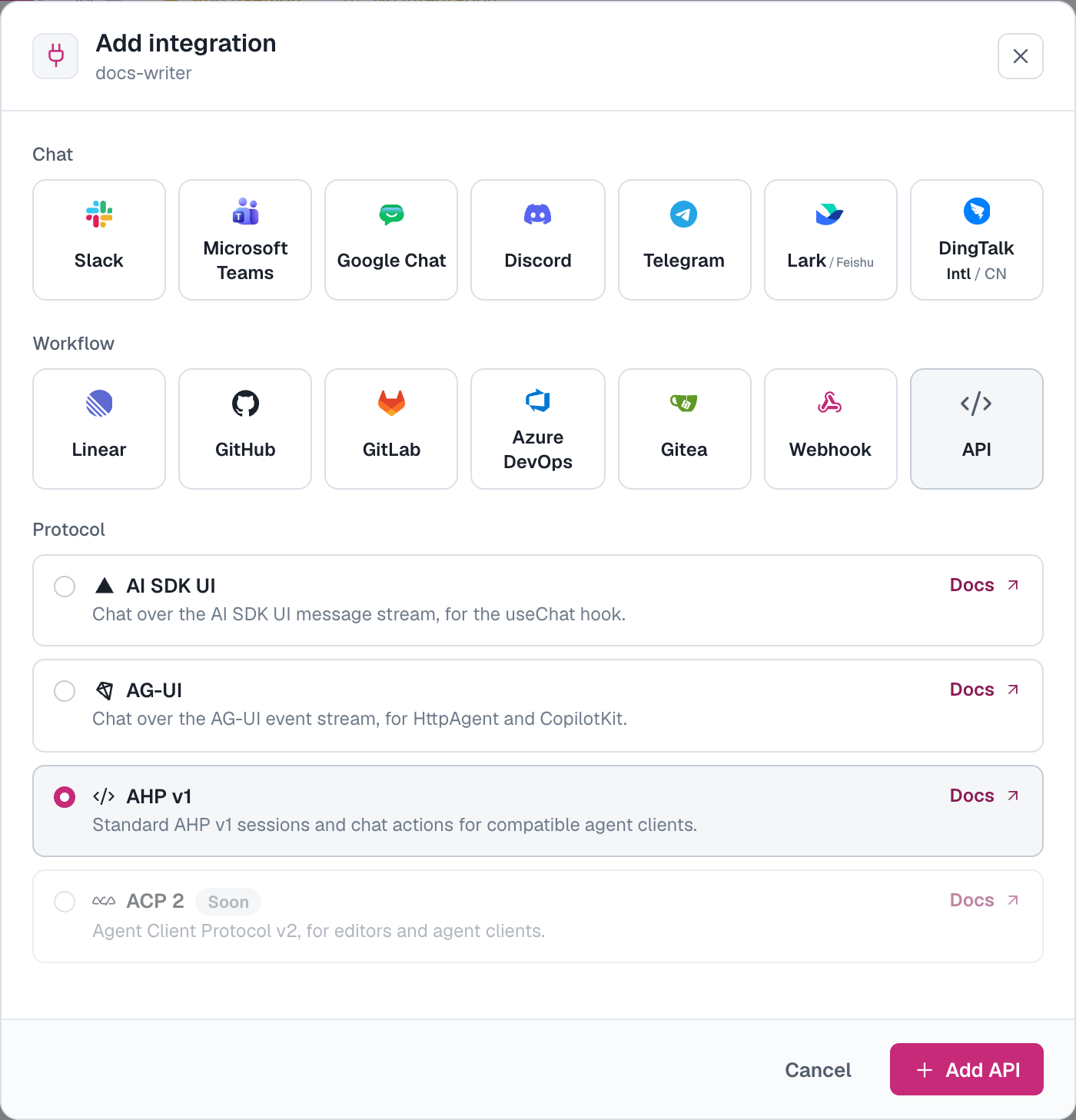
- In the console, open the agent and go to its Integrations tab.
- Click Add integration and pick API under Workflow.
- Under Protocol, select AHP v1.
- Click Add API.
The protocol can carry a badge:
| Badge | What it means |
|---|---|
| None | Every member who can see the agent can connect. |
| Pilot | You can add the API, but only members approved for the pilot can connect. |
| Disabled | AHP is off on this deployment, and the protocol cannot be selected. On AgentConnect OSS, turn it on. |
The Integrations tab now shows an API card. Open its Quickstart and copy the WebSocket endpoint, which is this agent's address for VS Code:
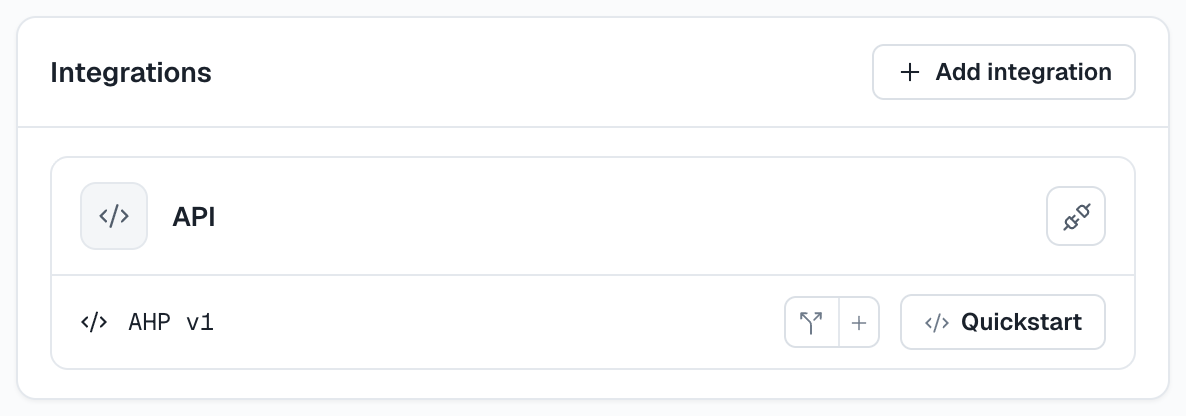
wss://<relay-url>/ahp/agents/<agent-id>Each agent has its own endpoint, so add the API to every agent you want to open in VS Code.
Install the extension
Every stable AgentConnect release from v2.15.0 carries the extension as a VSIX file.
-
Download
agentconnect-vscode.vsix. The link always serves the latest release's file. -
Install it. In VS Code, run Extensions: Install from VSIX... from the Command Palette and pick the file, or run this from a terminal:
code --install-extension agentconnect-vscode.vsix -
Allow the extension to use the proposed API. Run Preferences: Configure Runtime Arguments from the Command Palette and add this line to the
argv.jsonit opens:{ "enable-proposed-api": ["agentconnect.agentconnect-vscode"] } -
Restart VS Code.
To try it without editing argv.json, start VS Code once with the flag instead:
code --enable-proposed-api=agentconnect.agentconnect-vscodeThe extension does not update itself. To update, download the file again and install it over the old one.
Add the agent to VS Code
In a folder you trust, add the endpoint to .vscode/settings.json:
{
  "chat.workspaceRemoteAgentHosts": [
    { "name": "AgentConnect", "address": "wss://<relay-url>/ahp/agents/<agent-id>" }
  ]
}
Start a new chat and pick the agent as the session type. It is listed under its own name, followed by the name you gave the entry.
For VS Code's Agents window, run Add Remote Agent Host... from the Command Palette instead, or set chat.remoteAgentHosts in your user settings. An editor window reads only the workspace setting.
The address takes no query string, so a key or token cannot go in it.
Sign in
Run AgentConnect: Sign In to an Agent from the Command Palette. Your browser opens the AgentConnect console: sign in if asked, and approve VS Code's access to the agent. VS Code then connects, and the agent's name replaces the placeholder in the chat's session types.
- The sign-in lasts until you run AgentConnect: Sign Out, or disconnect VS Code under Profile in the console.
- Each agent is its own endpoint and its own approval.
- Sign in to one agent of an organization at a time. With two signed in, VS Code sends the newer sign-in to both, and the first agent refuses it.
What you see
Chat
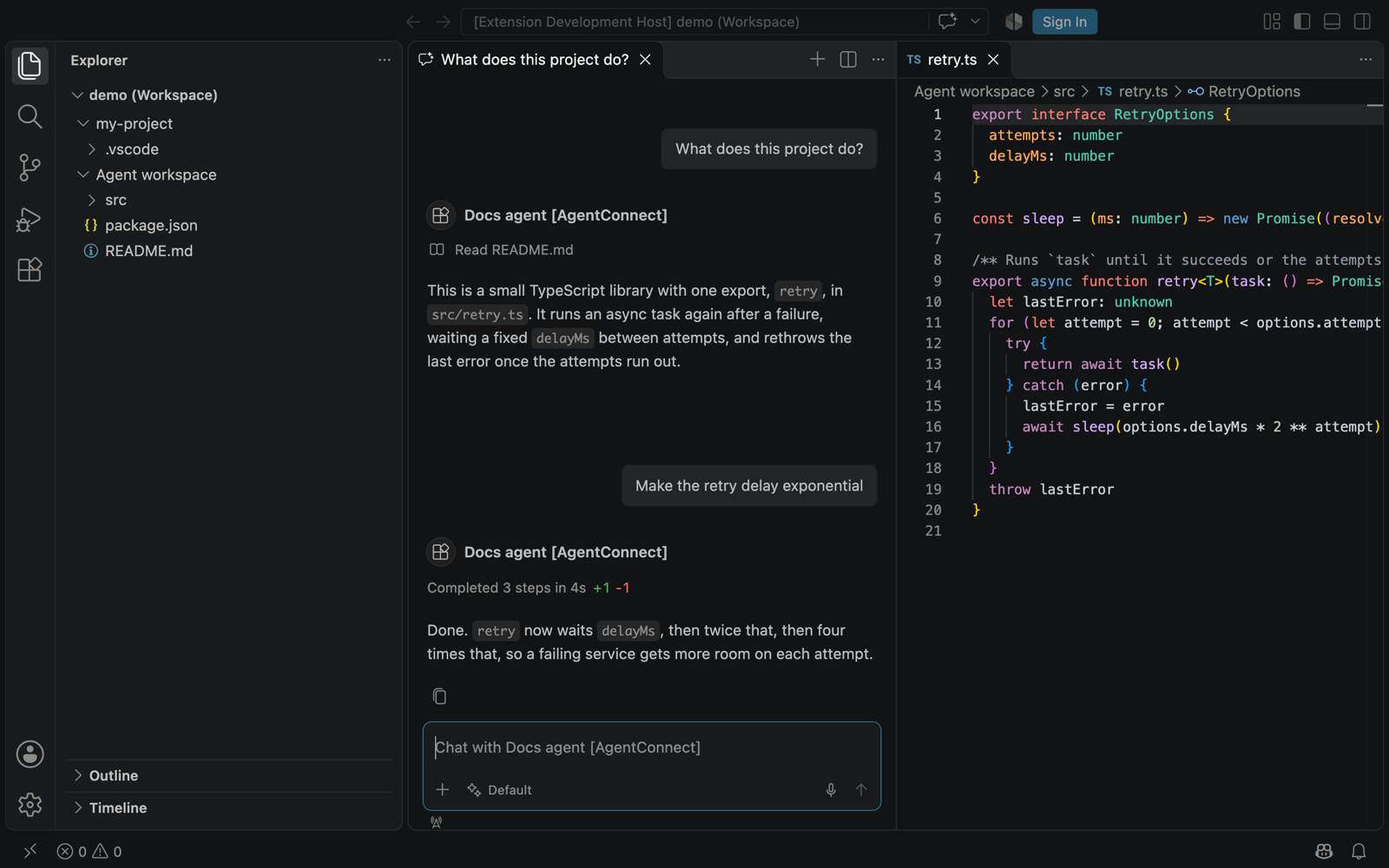
Each chat is a session of that agent. It shows the agent's replies, its tool calls and its edits as they happen.
- The agent runs the model it is configured with. VS Code's model picker shows one entry, and choosing does nothing.
- One image per message reaches the agent. Other attachments are dropped.
Edits as whole-file diffs
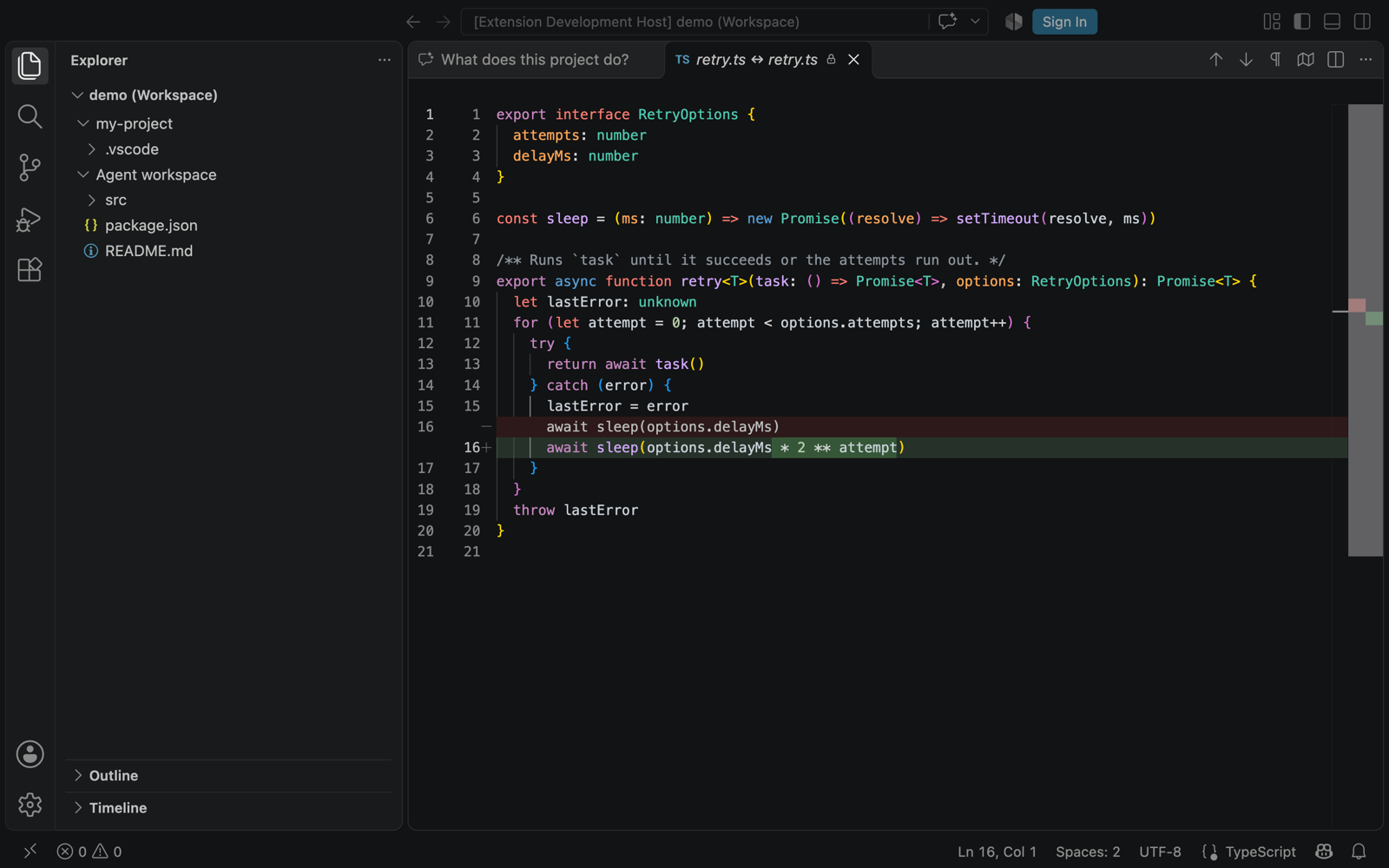
An edit shows in the chat with its added and removed line counts. Click the file to open the diff of the whole file, not only the changed lines.
The agent's files
VS Code reads files from the agent's workspace, read-only. A file you have open reloads when the agent edits it.
To browse the workspace, open a chat with the agent and run AgentConnect: Add an Agent's Workspace to the Explorer. It adds the session's working directory as a folder in the Explorer.
Limits
- Files are read-only, and a file larger than about 44 KiB does not open.
- A diff shows the whole file while the edited lines are still in the file as the agent left them. After a later edit of the same lines, it shows only the changed lines.
- An open file reloads after the agent's own edits. A change made by a command the agent ran is not reported to VS Code.
- Symbolic links are not listed and do not open.
- The agent's secret values are masked in file content, as they are in tool output.
From a script
The API card's Quickstart has a Node example built on Microsoft's @microsoft/agent-host-protocol client. It signs in with a Full access API key of a member who can see the agent; an Agent chat key is refused. Keep the key on a server you trust, and out of URLs and command arguments.
On AgentConnect OSS
AHP is off until you turn it on. Set these and restart the services:
| Service | Setting | Value |
|---|---|---|
| Control Plane and every relay | AHP_MODE | on |
| Control Plane | PUBLIC_RELAY_URL | The relay's public URL. |
| Every relay | AHP_AUTHORIZATION_SERVER | The Control Plane's OAuth issuer, which VS Code signs in to. |
| Control Plane | AHP_PUBLIC_ACCESS | true to admit every member. Leave it false for a pilot and list members in AHP_TEST_USER_IDS. |
Daemons serve AHP from v2.14.0 without a setting.
Troubleshooting
- Connected, but nothing happens and messages do not send: VS Code is not signed in. Check that the extension is installed and listed under
enable-proposed-api, then sign in. - "The terminal process failed to launch: Unknown method" in the Agents window: the Agents window asks the agent for a terminal, which is not available. Chat is not affected.
- "Unknown method" in the chat: the agent's daemon is older than v2.14.0. Upgrade it.
- The connection is refused: AHP is off for the organization, or the agent has no AHP API. Add the API to the agent (above).
- A file does not open: it is larger than about 44 KiB, or it is a symbolic link.
How is this guide?