
Introducing Jev support
Use Decisions to choose when agents respond, who takes the work, and which model a new session uses.

A support channel has questions, bug reports, follow-ups, and the occasional “thanks, that worked.” With several agents available, your team needs to decide which messages deserve a response and who should handle them. The same judgment comes up when assigning an issue, choosing a reviewer, or picking a model for a new task.
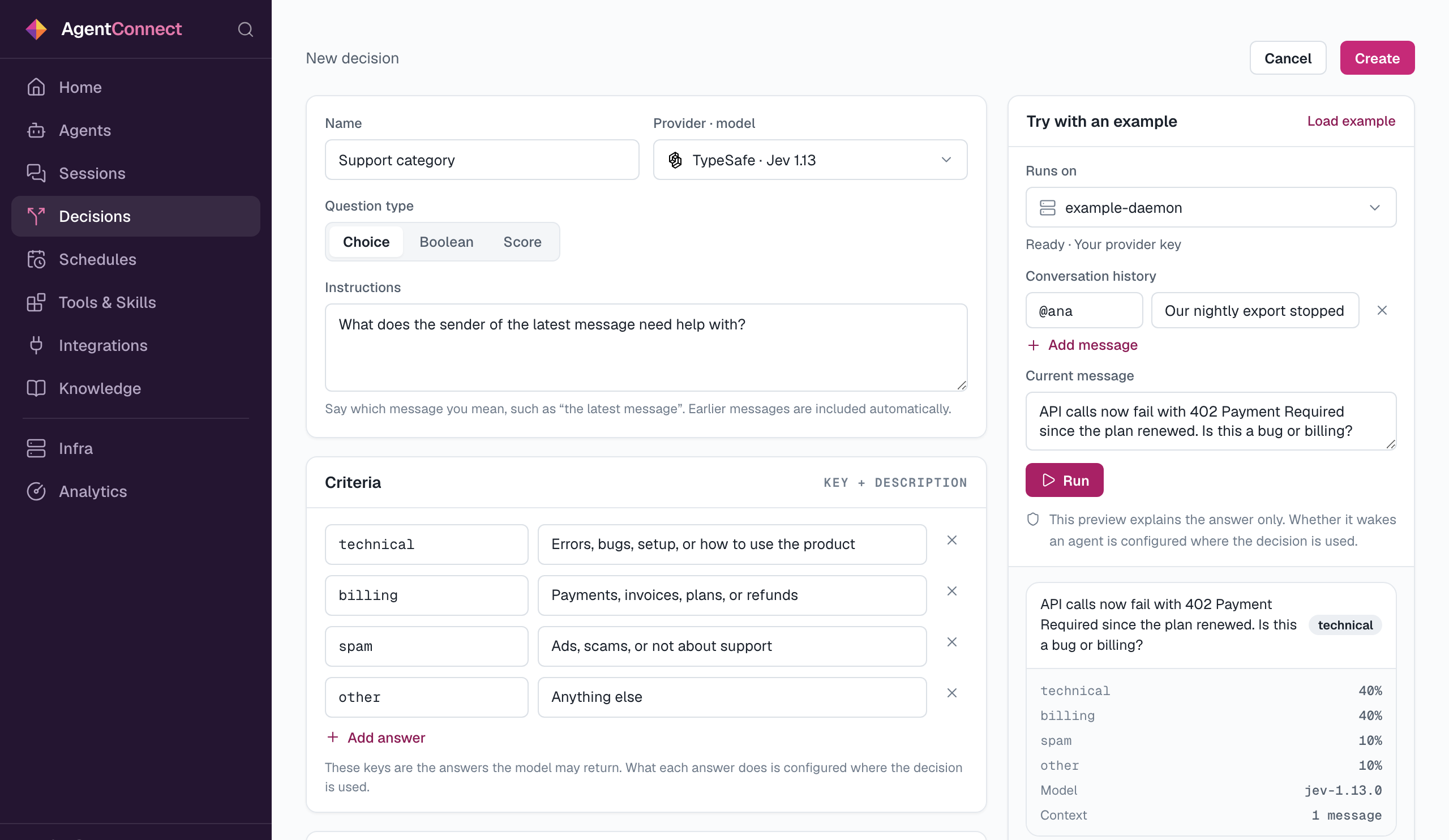
AgentConnect now supports Jev, TypeSafe’s judgment model, as a general decision engine for your agents. You define a question and the criteria for answering it. Jev evaluates the context, and AgentConnect uses the answer according to the rules you configure.
We call these reusable questions Decisions. A Decision can return Yes or No, choose a category you define, or score something on your scale. For example: does this message need a reply, is this a technical or billing question, or how complex is this task? You can reuse the same Decision in several places, with each place choosing what to do with its answer.
For a support agent, you can configure a “Needs reply” Decision to trigger on requests for help and skip greetings and acknowledgments. It considers the earlier conversation as well as the latest message. You can add it from the channel row in the agent’s Integrations tab and choose which answers should trigger a response.
A category Decision can limit responses to technical questions, as in this example:
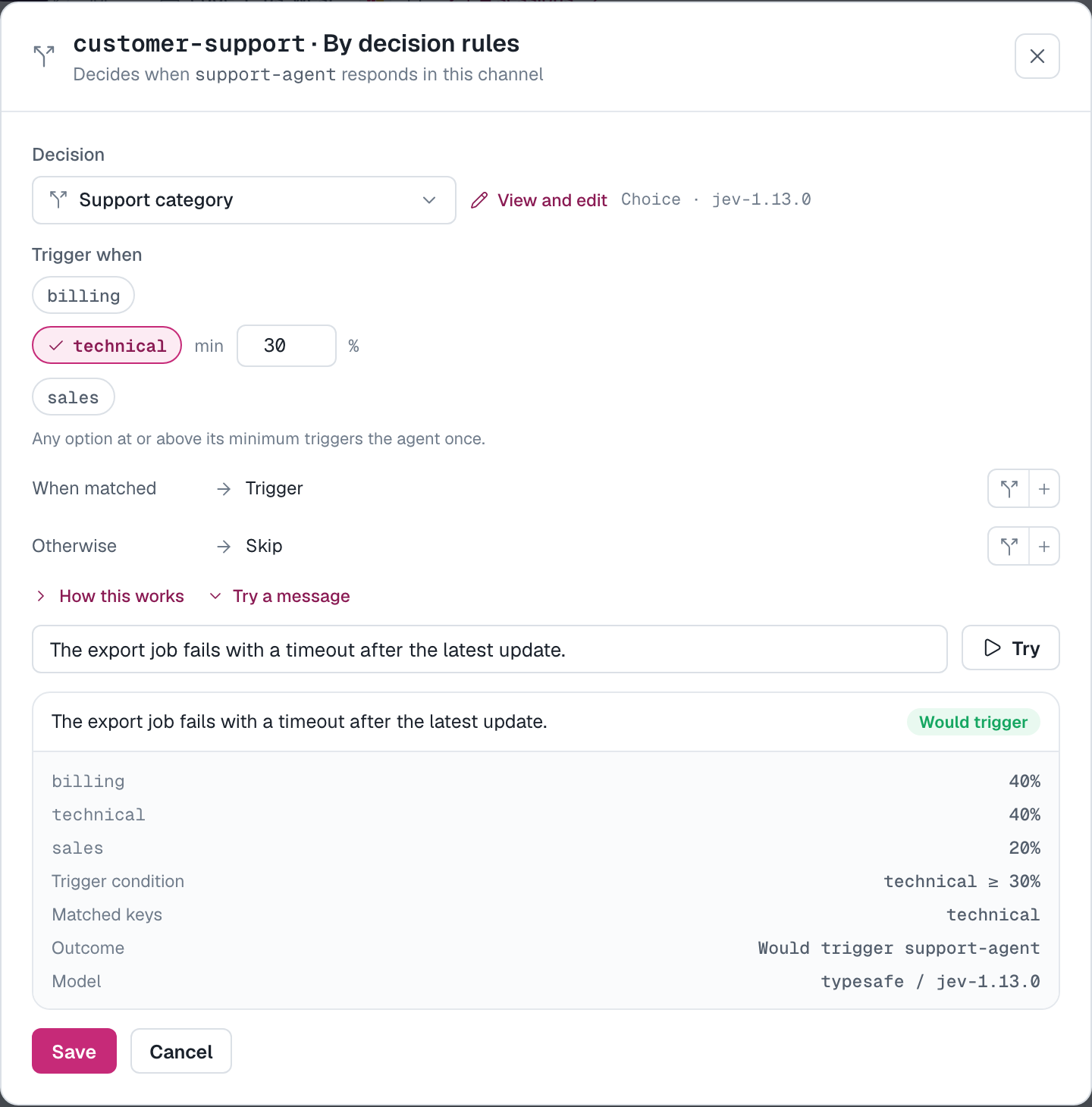
With shared-bot routing in Slack, a “Support category” Decision can send new conversations to different agents. Technical questions can go to an engineering agent, and billing questions to a support agent. Your team defines the categories and who handles each one. You can also chain Decisions: check the category first, then judge the customer’s frustration before bringing in a specialist.
That same approach works across other parts of your team’s work:
- Issue triage and code review. In GitHub, GitLab, or Gitea, choose which watching agents handle an issue or pull request (merge request on GitLab). A question about the review focus can select a security reviewer for authentication changes or an architecture reviewer for a data model change.
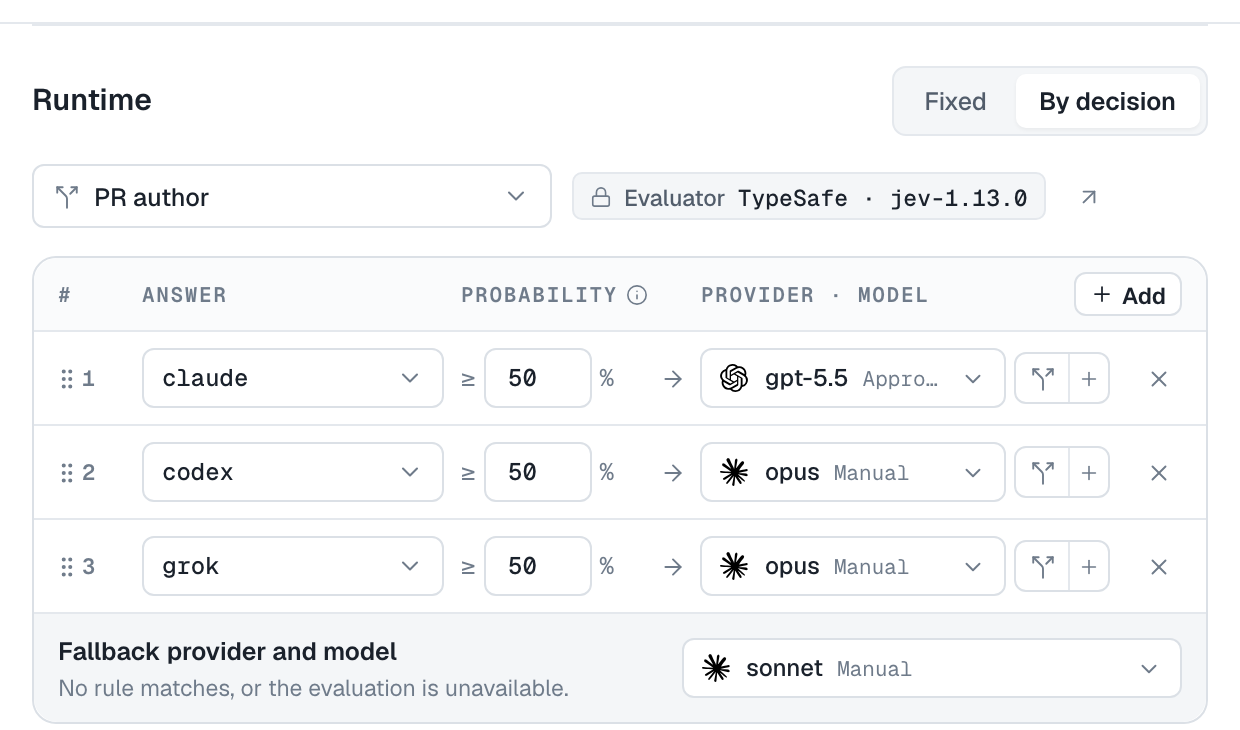
- Runtime and model selection. Choose an agent’s runtime and model when a new session starts. Map task complexity scores to your preferred models, or use the “PR author” example for cross-model review: have Codex review a PR written by Claude, and Claude review one written by Codex. Existing sessions keep their original selection.
Agents can also ask Decisions themselves while working. Attach a Decision under Tools & Skills → Decisions, and the agent can supply context and use the answer—for example, classify a ticket before choosing how to handle it. Its existing permissions still determine which actions it can take.
To create your first Decision, open a Playground conversation with one agent and describe what you want to judge. The request below asks for the same judgment as the built-in Needs reply example, and the same flow works for any question your team needs:
Create a Decision called Support requests. Use Jev to answer Yes when someone asks for help, and No for greetings, thanks, or casual conversation.
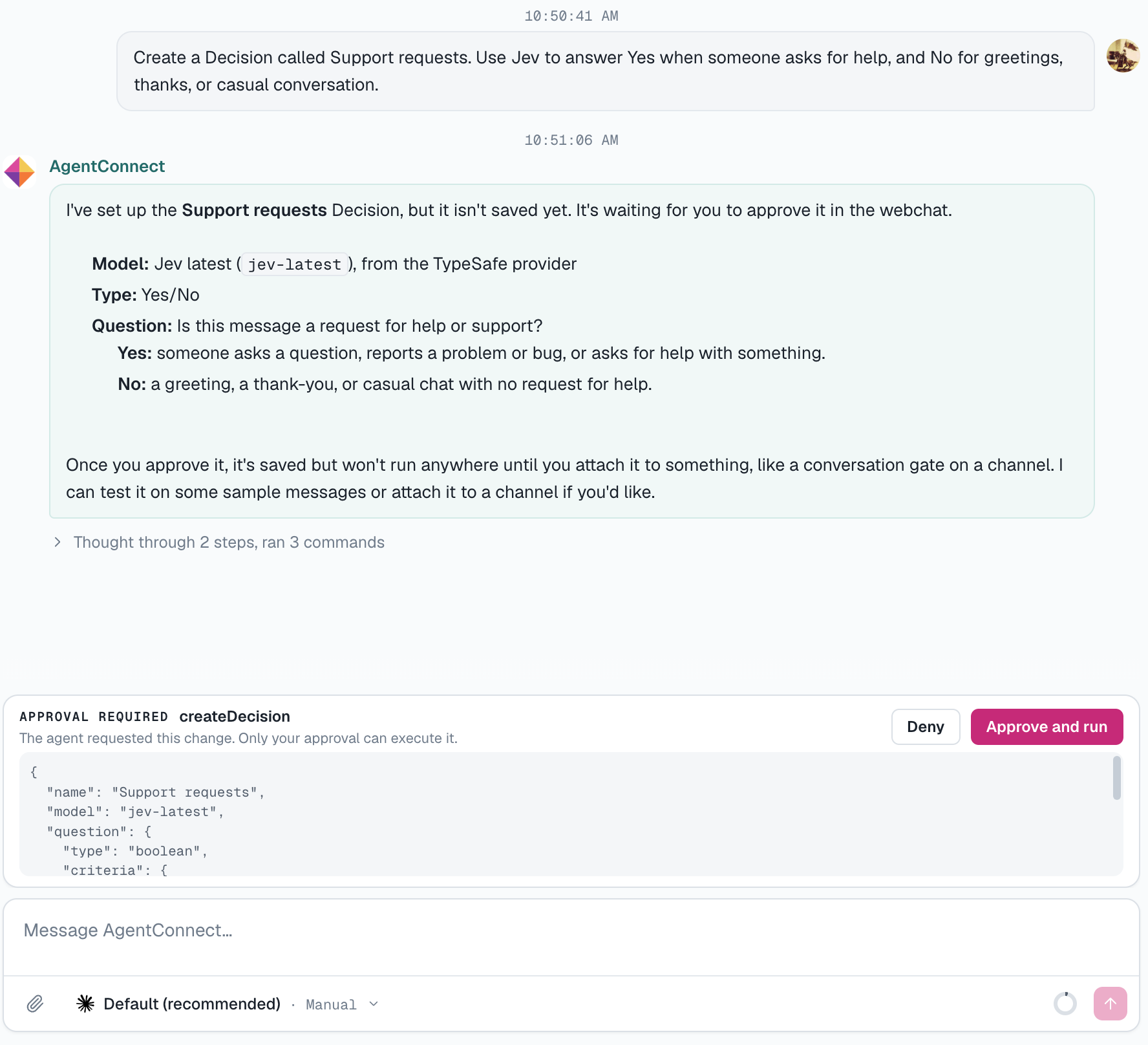
The agent drafts the Decision and submits it for your approval. Review its name, model, question, and criteria in the proposed arguments, then choose Approve and run to save it or Deny to reject it. Nothing is applied until you approve. Once saved, open the Decision from the Decisions page and use Try with an example to test it against a sample conversation. You can inspect the answer and probabilities, adjust the criteria, and try again. The channel and routing editors also let you preview what your rules would do with a sample message. You can create Decisions manually or start with examples such as Needs reply, Support category, PR focus, and Task complexity.
Agents running on AgentConnect Cloud can evaluate Decisions using organization credits. For your own daemons, add a TypeSafe (Jev) API key under Infra → Provider keys.
Explore the documentation, and star AgentConnect on GitHub to support the project.
Keep reading
All posts →
Put an agent in your first channel.
Open source and self-hosted — run AgentConnect on your own infrastructure, bring any agent, and keep full control. No lock-in.
AgentConnect